
Supported printers
| Vendor | Printers | Labels |
|---|---|---|
| Brother | PT-E550W, PT-P700, PT-P750W | TZe tapes 6 to 24 mm wide: laminated, non-laminated and fabric (iron-on) tapes, and heat-shrink tubes in compatible cassettes |
| Brother | PT-P900W, PT-P950NW | TZe tapes 18 and 36 mm wide |
| Brother | QL-500, QL-550, QL-560, QL-570, QL-580N, QL-600, QL-650TD, QL-700, QL-710W, QL-720NW | up to 62 mm wide |
| Brother | QL-800, QL-810W, QL-820NWB | up to 62 mm wide, also black/red |
| Brother | QL-1050, QL-1060N, QL-1100, QL-1110NWB, QL-1115NWB | up to 103 mm wide, e.g. 4 x 6 in shipping labels |
| Brother | VC-500W | 9 to 50 mm wide ZINK tape in full color, about 40 s per label |
| PUQU | Q00 (Bluetooth), also sold as the Reekon P1 Tagger (P1L) | 50 x 30, 50 x 80, 40 x 30 and 40 x 50 mm die-cut thermal labels, torn off |
USB printers are detected automatically, also one on another computer through USB/IP, network printers with some limits. The label designer offers only the label sizes the selected printer can print and tells you when another label is loaded.
Features
- Text: font, size, alignment and line spacing for each line, inverted text, checkboxes for to-do lists, red text on black/red labels and any color on the VC-500W, optionally shrunk to fit the label or made as large as fits
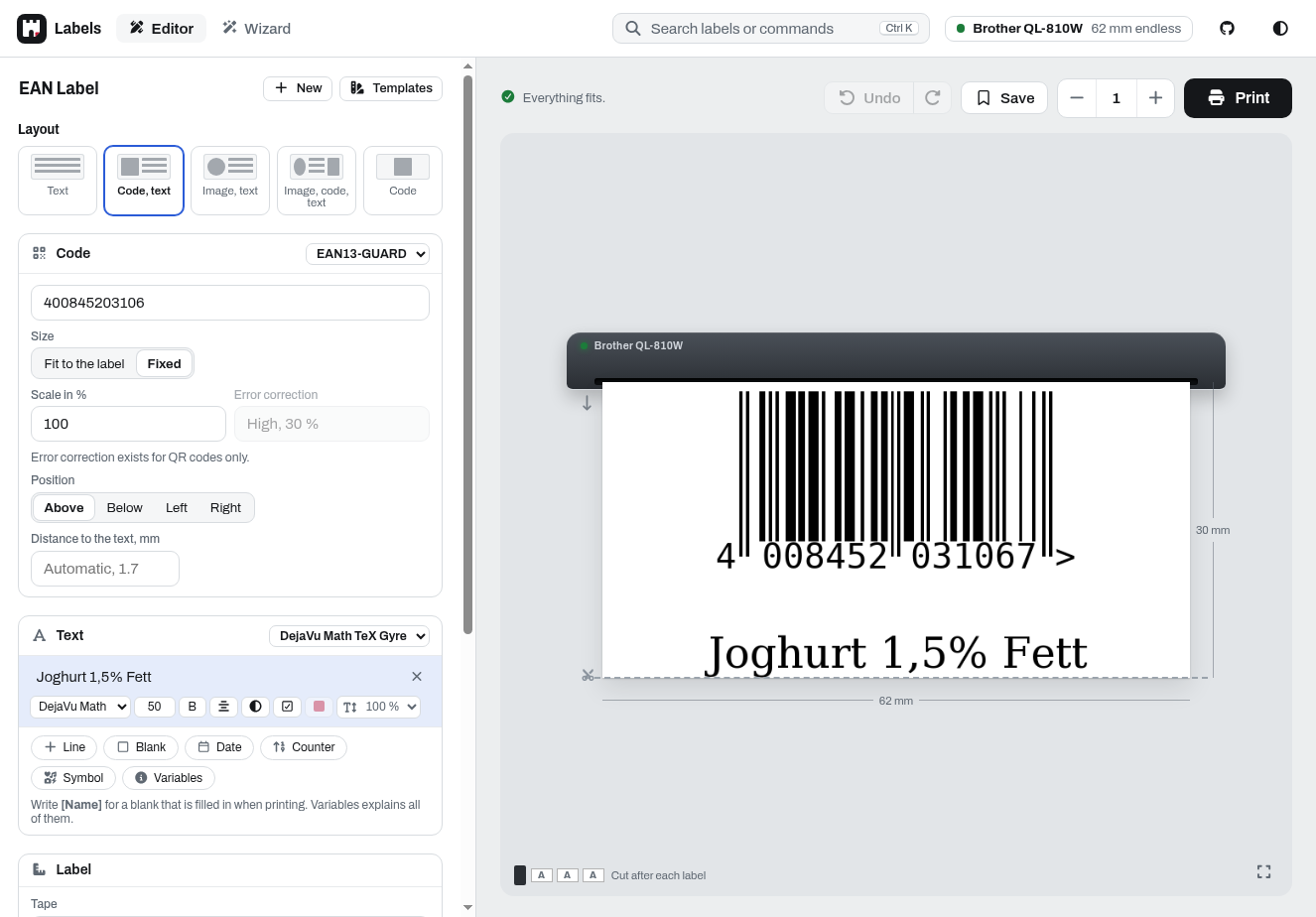
- Codes: QR codes and barcodes (EAN, UPC, Code 128, Code 39, ITF, GS1-128, ISBN and more), with or without text
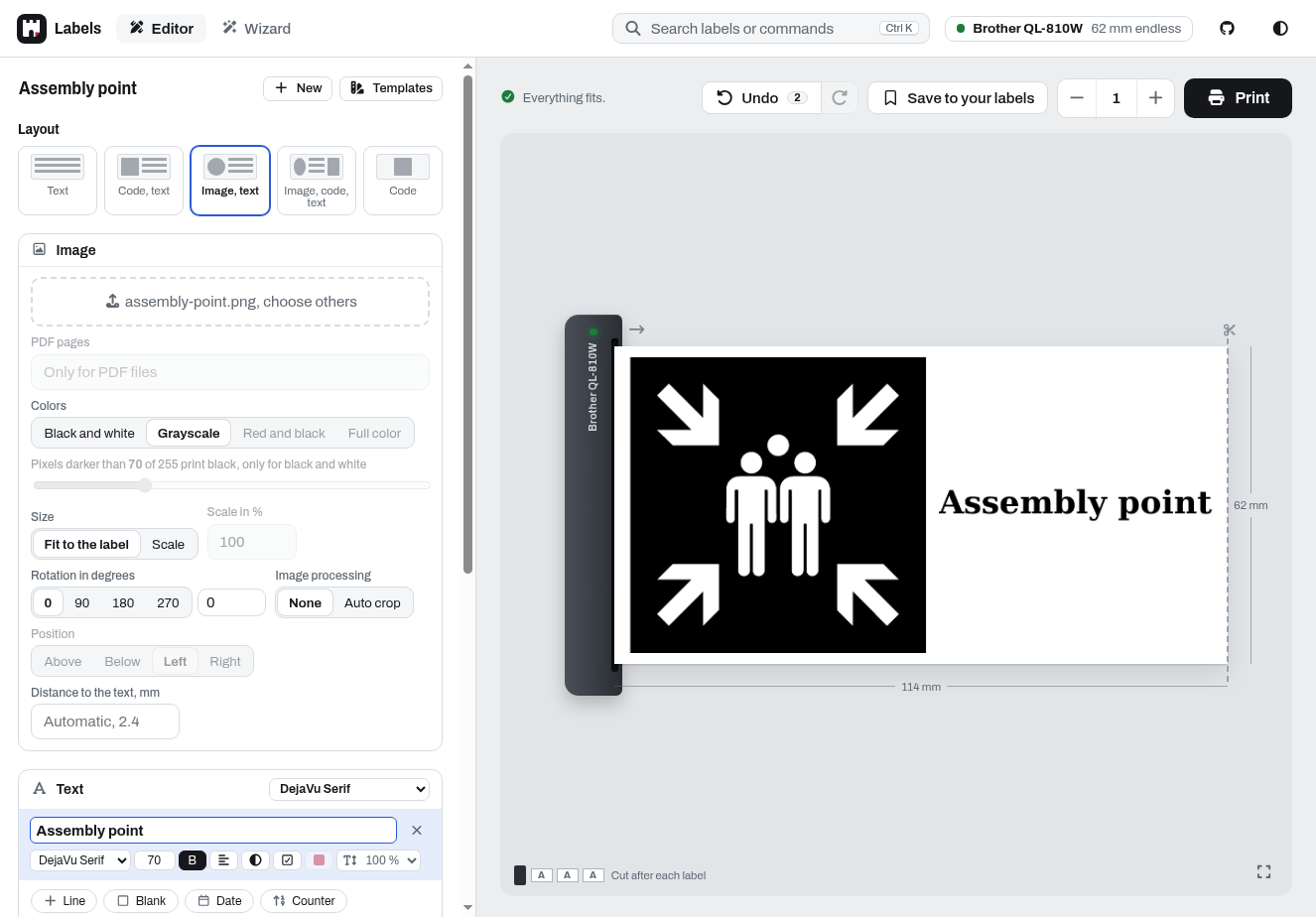
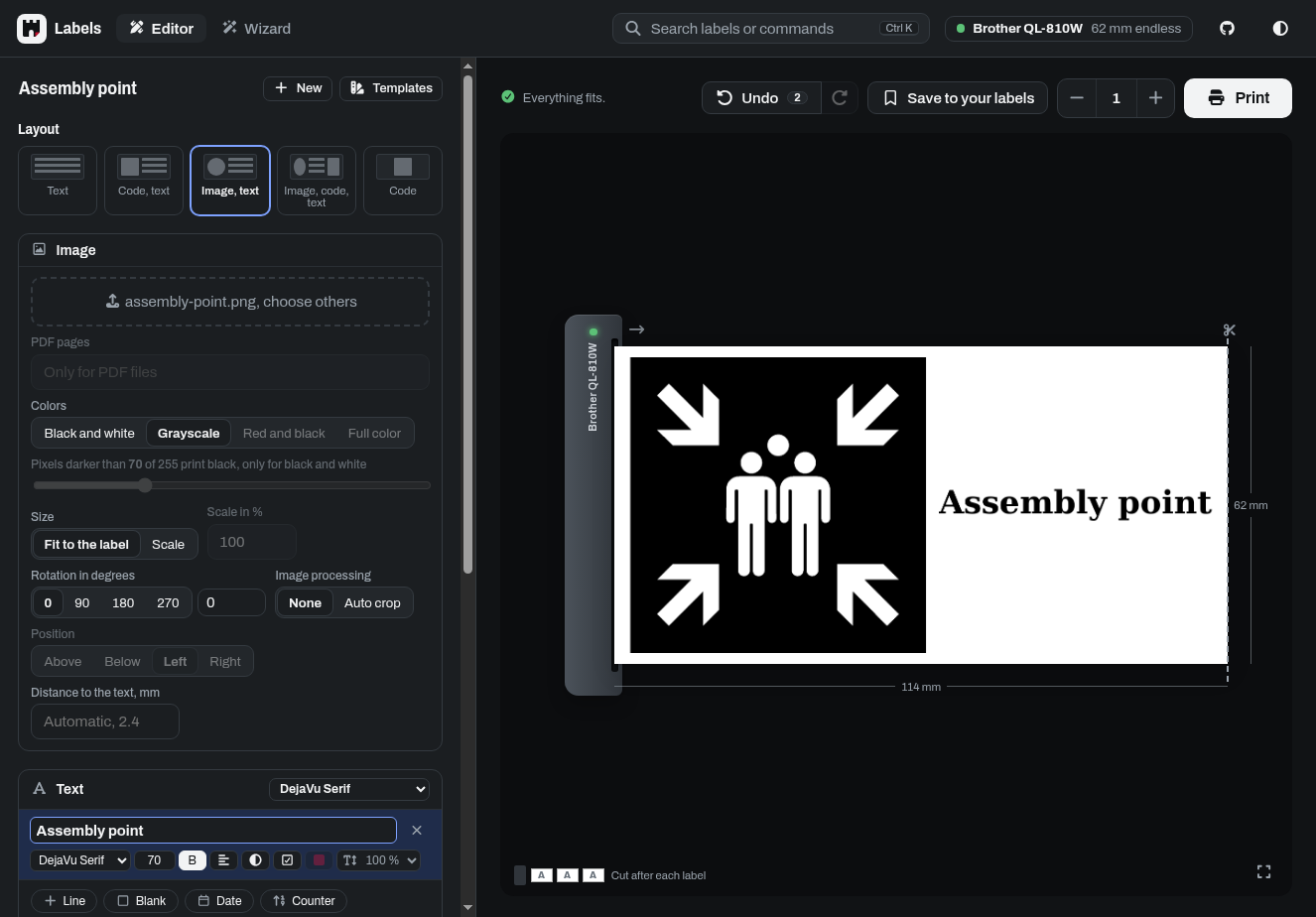
- Images: PDFs, one label per page if you like, and dozens of image formats (PNG, JPG, WEBP, AVIF, GIF, TIFF, BMP and many more), dropped, chosen or pasted, several at once and stepped through in the preview, alone, with text or with text and a code, with auto-fit, auto-crop, scaling, rotation and conversion to black/white or black/red
- Templates: blanks that are filled in when printing (text, numbers or dates, with a default if you like), counters, date and time, UUIDs, random strings and selected environment variables, in the text and in codes
- Icons: the 7400 Material Design Icons as
{{mdi:<name>}}(e.g.{{mdi:lightbulb}}), next to text in the same line, shown and found by name in the symbol picker - Labels: save, load and print labels, export and import them as JSON, or start from one of about 500 demo labels in English and German, e.g. addresses, safety signs, GHS hazard labels, name badges and price tags
- Printers: several printers at once, each with a name if you like, and a simulator to try everything without a printer
- Printing: copies with a cut after every label, only after the last one or none, on P-touch printers half cuts and chain printing, set for each printer or saved with a label, borders, round labels, cable flags that fold around a cable, 600 dpi printing, fast printing (a little less sharp)
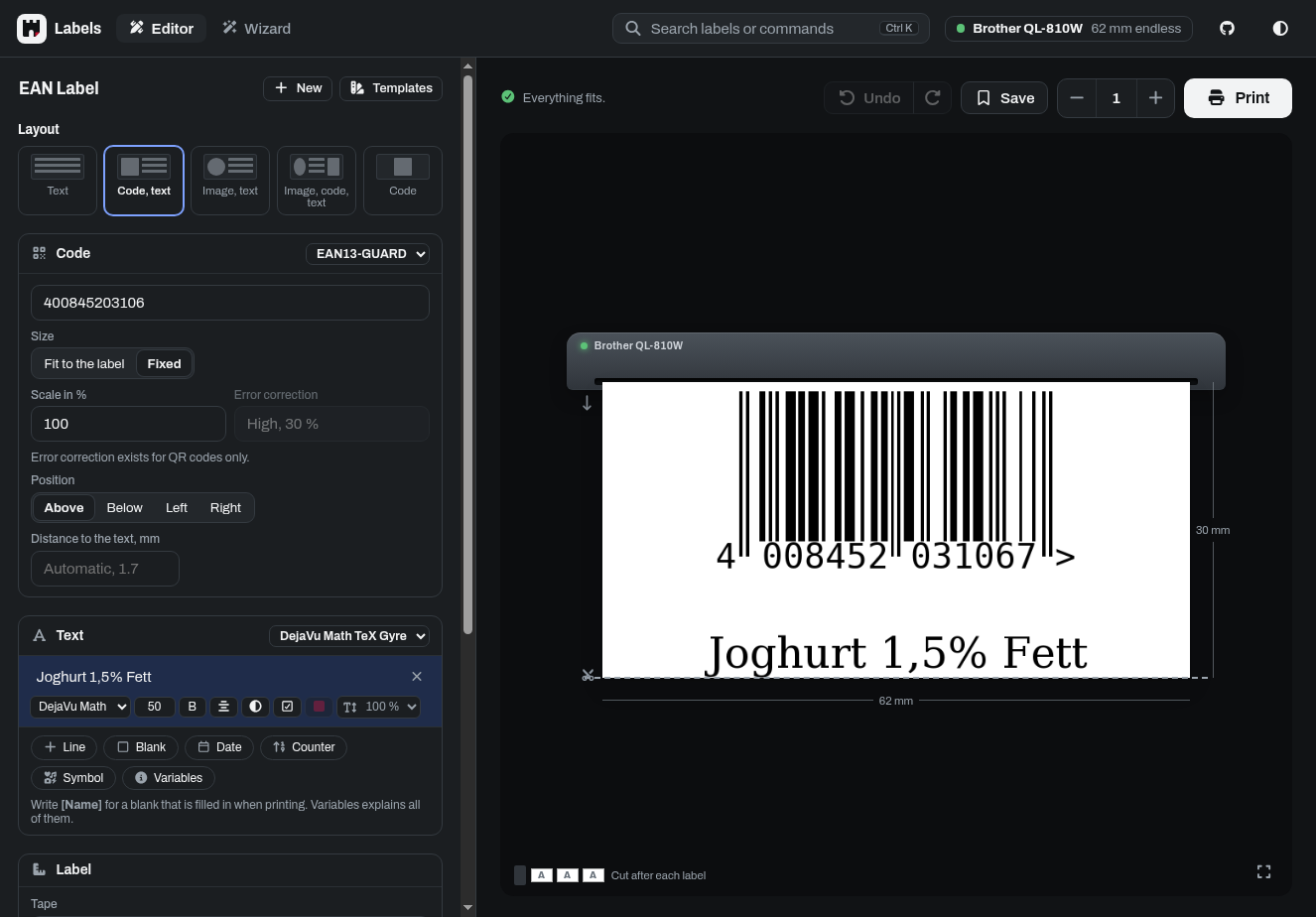
- Interface: an editor with the preview of the label leaving the printer, also shown large, a wizard that turns typed text into labels and finds fitting templates, search (Ctrl K), undo, dark mode, works on phones, can be installed as an app (over HTTPS), which on Android takes images, PDFs and links from the share menu
- API: everything the label designer does, described in OpenAPI, and a webhook to print images
Screenshots
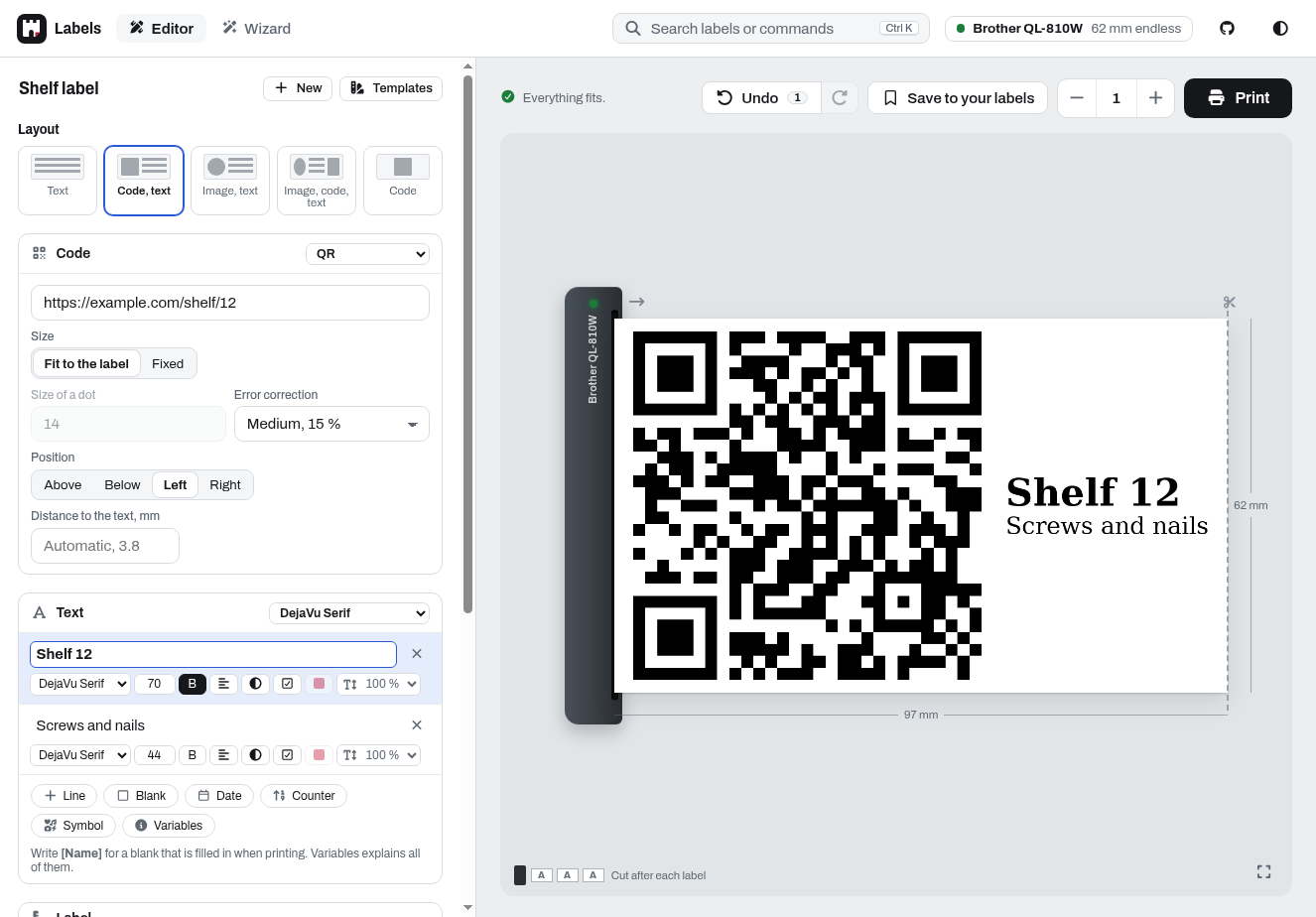
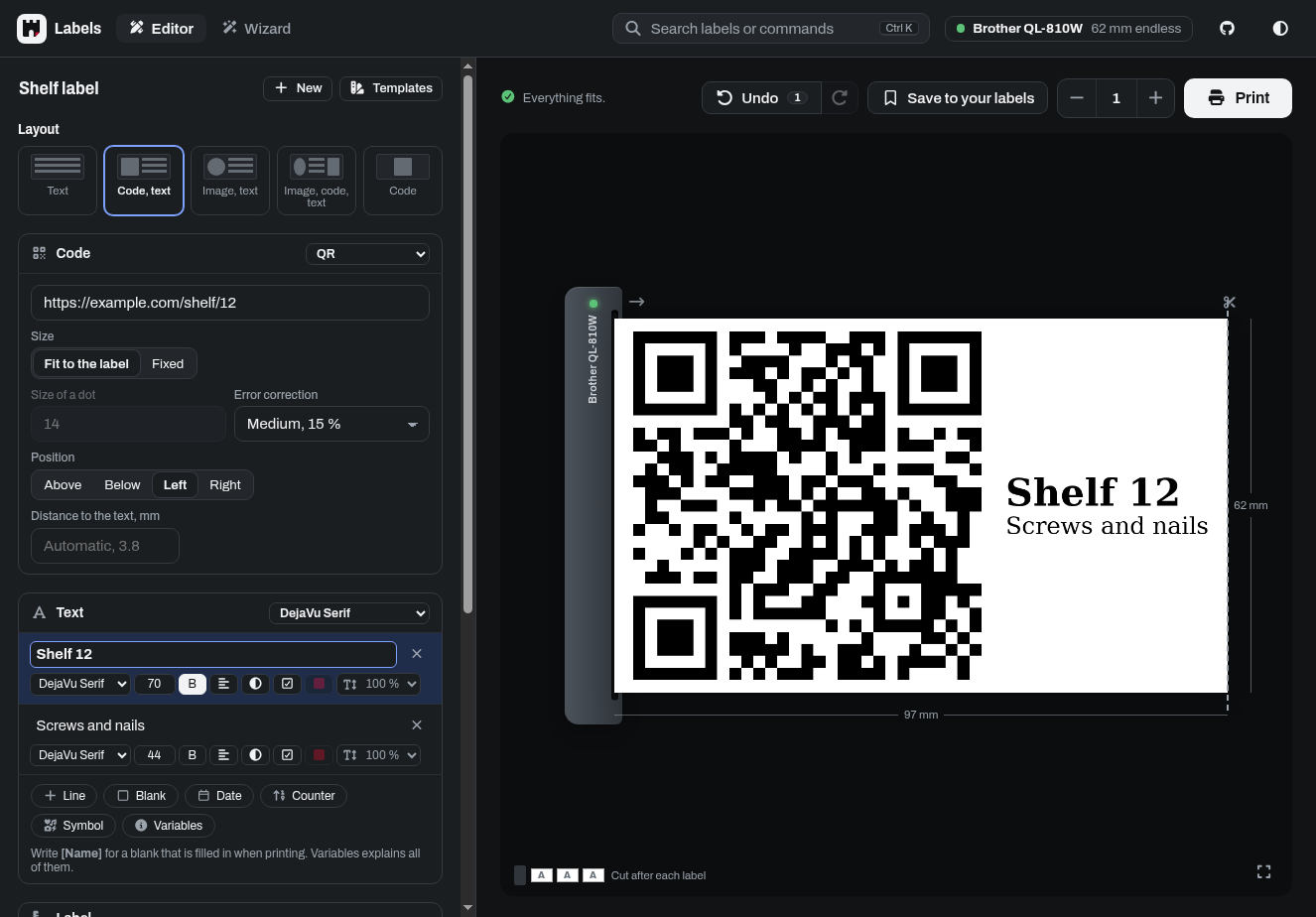
| Saved and ready-made labels | Image with text |
|---|---|
  |
  |
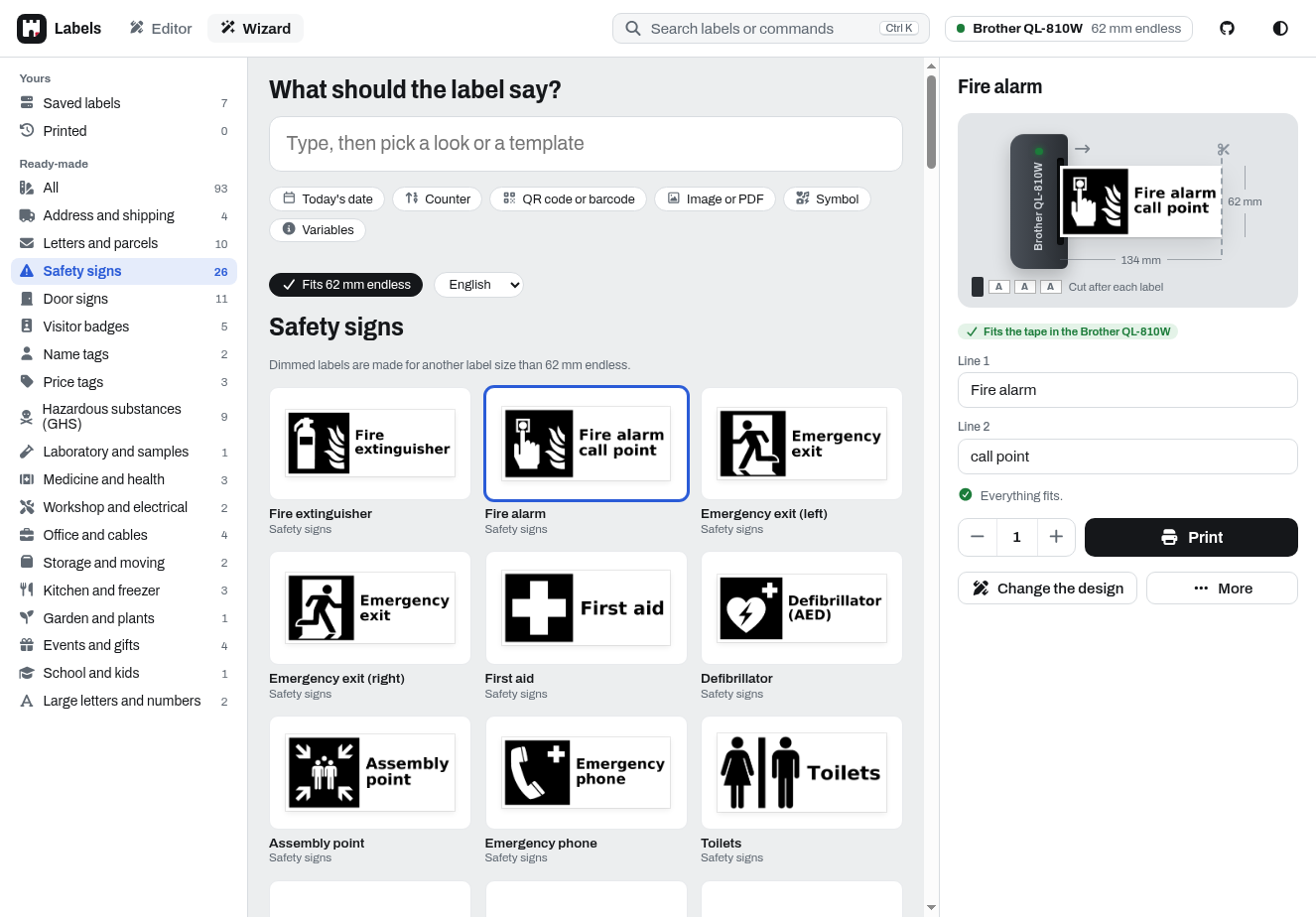
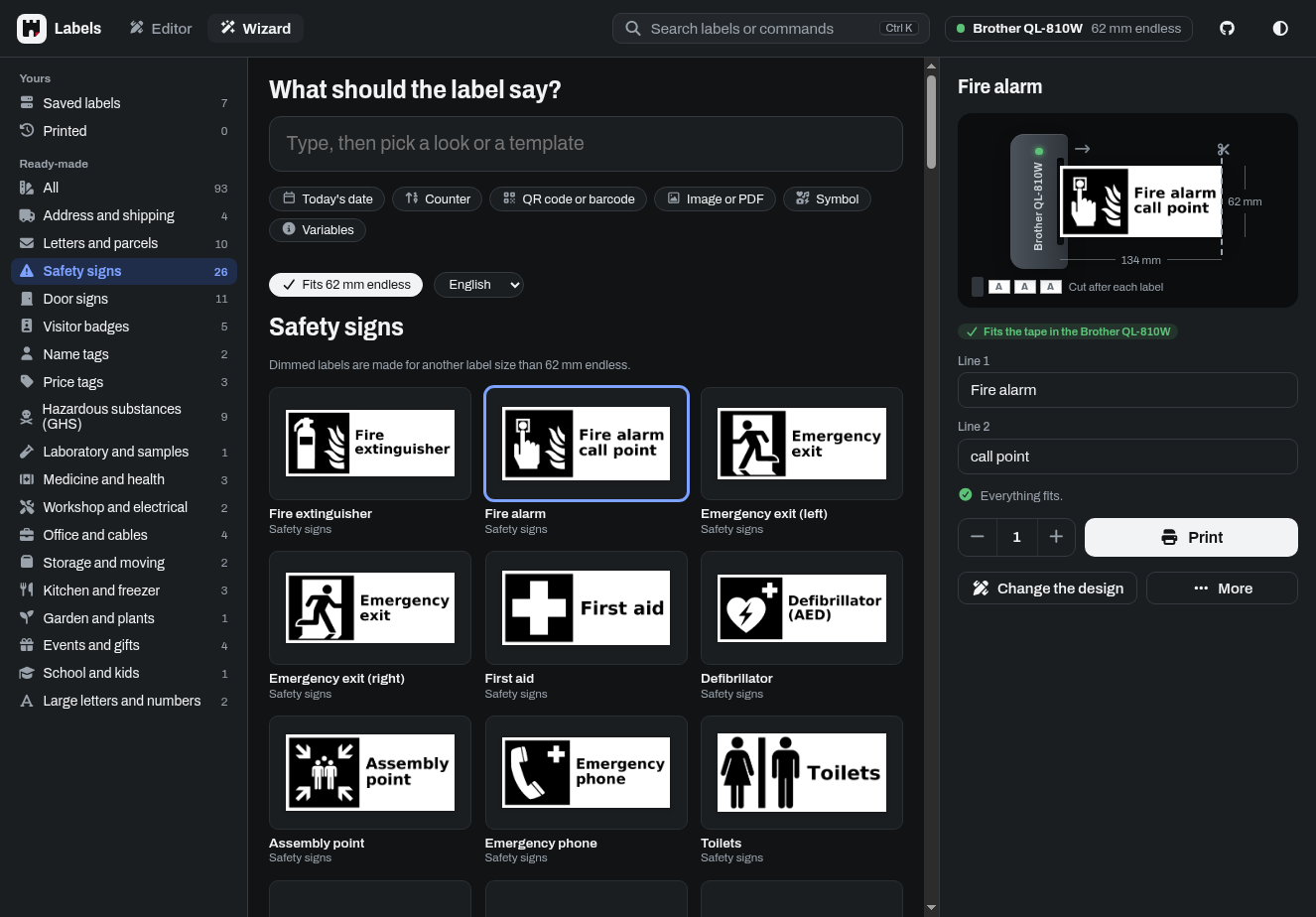
| Barcodes | Wizard in dark mode |
  |
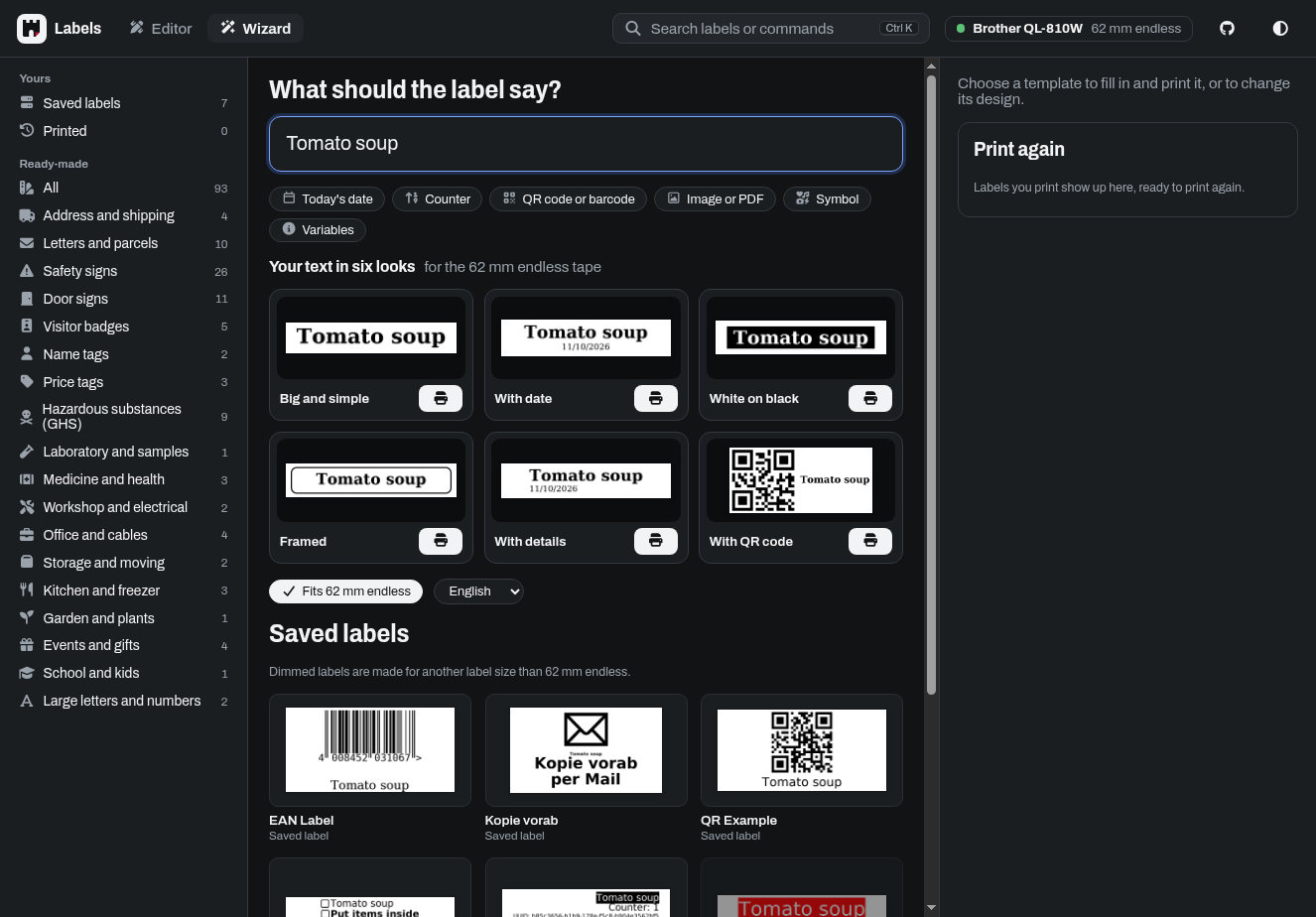 |
| Blanks, filled in when printing | Printer settings |
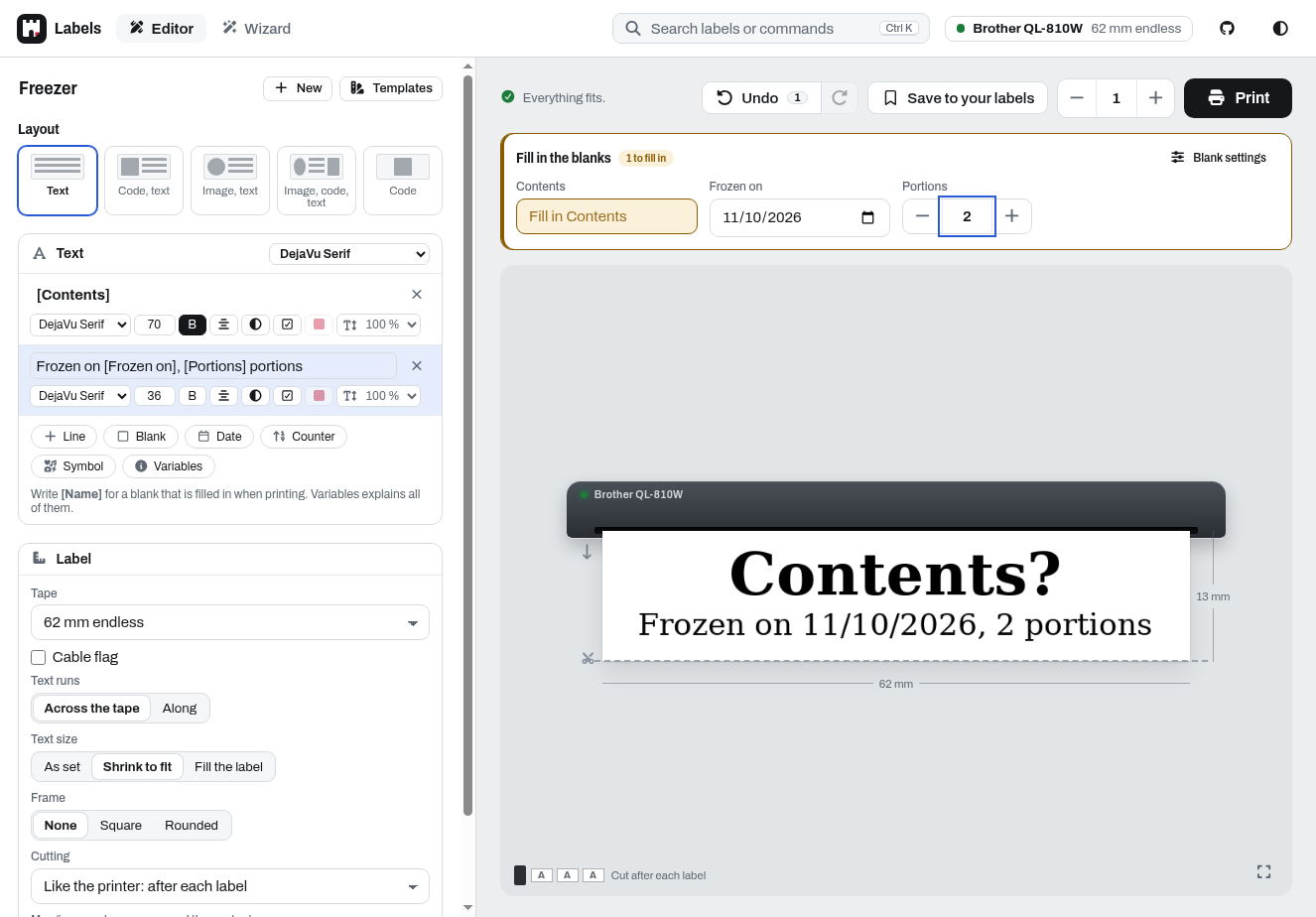 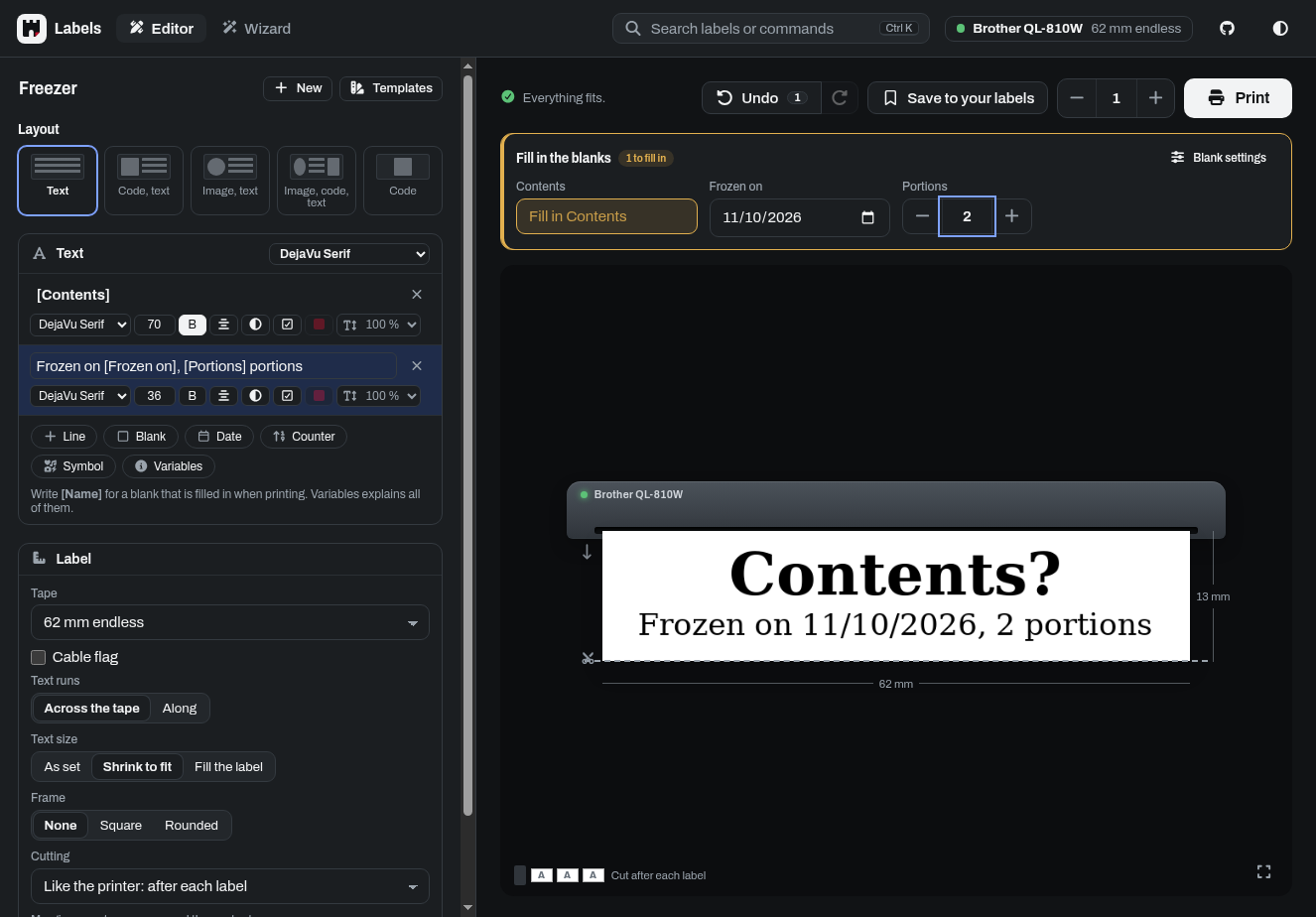 |
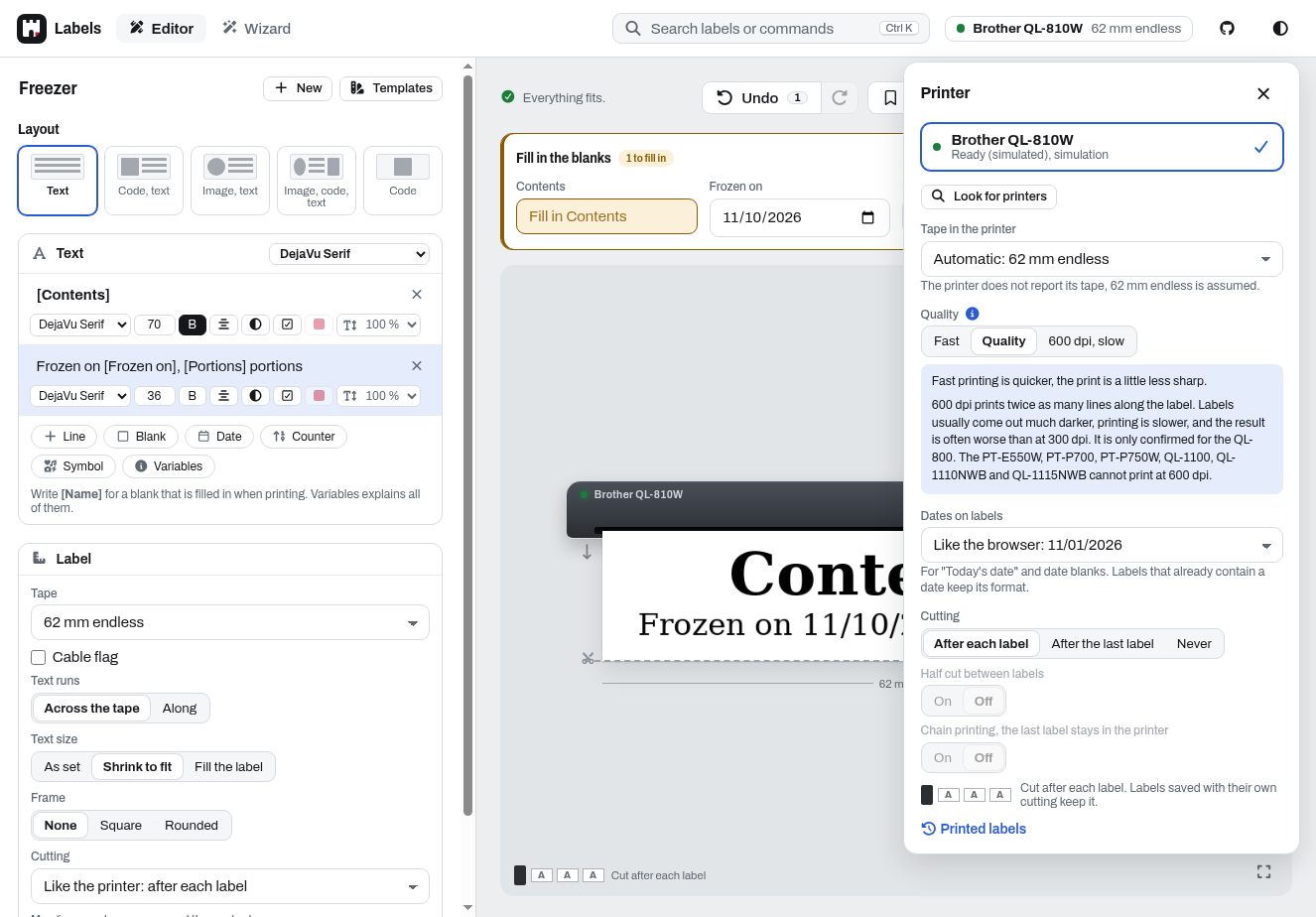 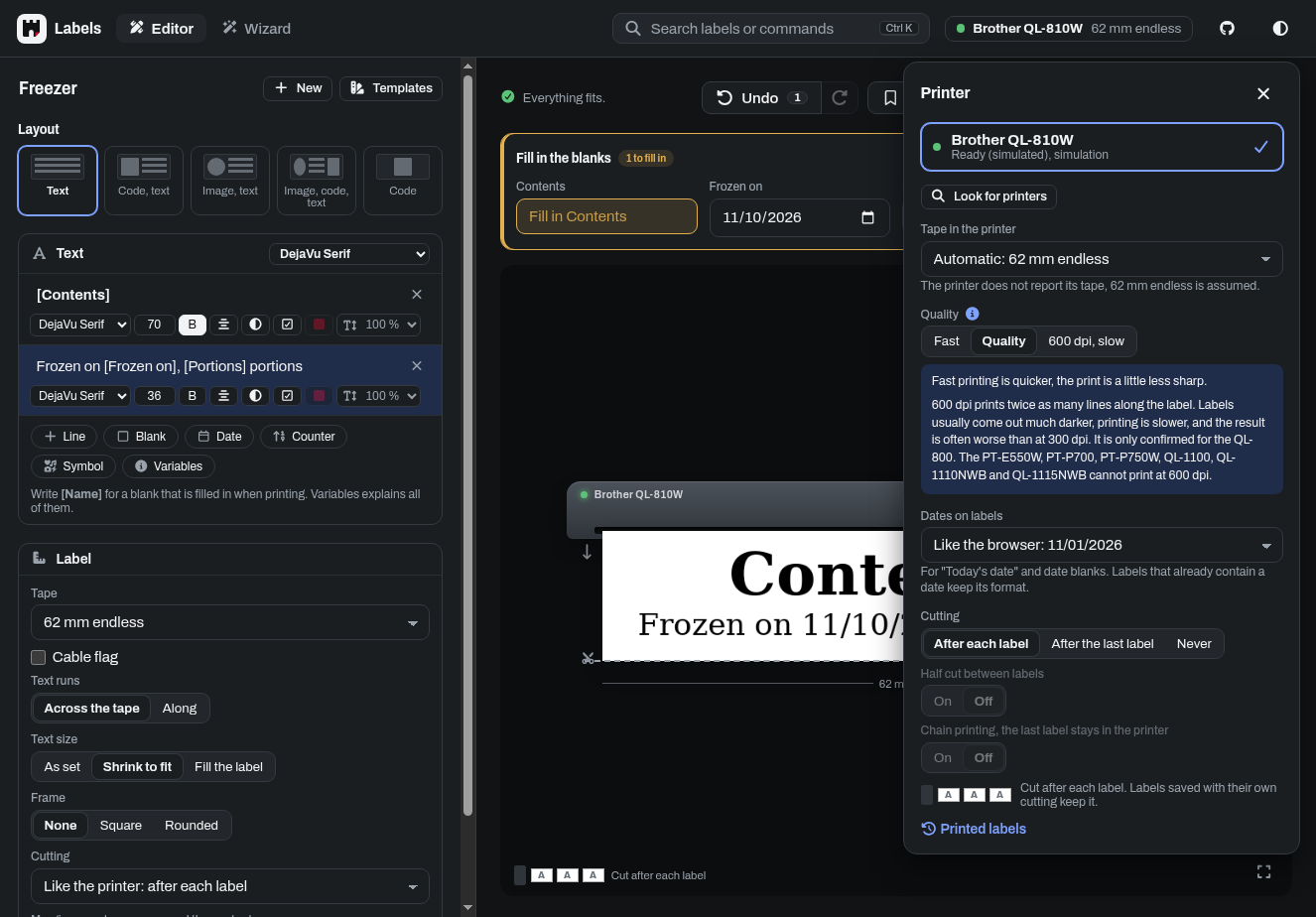 |
Installation
With Docker Compose, e.g. with the example docker-compose.yml:
services:
  labelburg:
    image: ghcr.io/dl6er/labelburg:latest
    container_name: labelburg
    restart: always
    ports:
      - "8013:8013"
    devices:
      - "/dev/usb/lp0:/dev/usb/lp0"
    volumes:
      - ./labels:/app/labels
    environment:
      - PRINTER_MODEL=QL-800
      - PRINTER_PRINTER=file:///dev/usb/lp0
Then open http://<host>:8013. Saved labels are kept in ./labels.
To detect printers automatically, also ones plugged in later and network printers, leave out PRINTER_PRINTER, ports and devices and give the container access to USB and the network instead:
    privileged: true
    network_mode: host
    volumes:
      - /dev/usb:/dev/usb
      - ./labels:/app/labels
Image tags
| Tag | Contains | Changes |
|---|---|---|
latest |
the newest release | with every release |
1 |
the newest 1.x release |
with every release of the 1 series |
1.0 |
the newest 1.0.x release |
with every release of the 1.0 series |
1.0.1 |
exactly this release | never |
dev |
the current state of master |
with every change and every night |
latest is the right choice for most installations. dev gets new features and fixes first, e.g. to test a fix from an issue before it is released, but it may also break things. Pre-releases (e.g. 1.1.0-rc.1) only get their exact tag. To update, run docker compose pull && docker compose up -d. All releases are listed on the releases page. Every tag is also pushed as ghcr.io/dl6er/brother-ql-web, the name of the images until v3.0.0, so existing installations keep getting updates.
The navbar shows the version and build time of the running image, please add them when you report an issue.
Settings
| Environment variable | Meaning | Default |
|---|---|---|
PRINTER_PRINTER |
The printer: file:///dev/usb/lp<N>, usb://<vendor>:<product>, tcp://<host> (an IPv6 address in brackets), a VC-500W on the network as vc500w://<host>, a PUQU Q00 or Reekon P1 Tagger as bt://<MAC>[/<RFCOMM channel>] (channel 2 if left out; in a container only with network_mode: host), or ? to detect printers automatically |
? |
PRINTER_MODEL |
Model of a printer that does not report it, e.g. a network printer | QL-800 |
PRINTERS |
Several printers of different models instead of PRINTER_PRINTER and PRINTER_MODEL, as <model>=<printer>, comma-separated, e.g., QL-700=usb://0x04f9:0x2042,QL-1100=file:///dev/usb/lp1. A name in front, e.g., Kitchen:QL-700=usb://0x04f9:0x2042, is shown in the label designer, and requests may choose the printer by it (printer=Kitchen). There is no detection, each printer keeps its model and its own label settings in the browser, requests that name no printer go to the first one. The simulator is offered only when listed, e.g., QL-700=simulation. |
none |
LABEL_DEFAULT_SIZE |
Label size the label designer starts with, e.g. 62 or 103x164 |
62 |
LABEL_DEFAULT_ORIENTATION |
standard or rotated |
standard |
LABEL_TEMPLATE_ENV_VARS |
Environment variables labels may insert with {{env:<var>}}, comma-separated. All others stay empty, so that nobody can read secrets of the server through a label. |
none |
WEBHOOK_PASSWORD |
Turns on the webhook, see API | off |
TRUSTED_HOSTS |
Host names you open the label designer with, comma-separated, e.g. labels.local,192.168.0.10. Requests for other names are refused, which protects against DNS rebinding. |
all |
PROXY_COUNT |
Number of reverse proxies in front of the server, e.g. to serve the label designer below a path, see Reverse proxy. Only then the X-Forwarded-* headers they set are used, others could fake them. |
0 |
PRINT_MAX_COUNT |
Most labels per print request | 100 |
MAX_CONTENT_LENGTH |
Largest request in bytes, e.g. for uploaded images | 32 MB |
FONT_FOLDER |
Folder with more fonts, see below | none |
SYSTEM_FONTS |
false to offer only the fonts of FONT_FOLDER, not those installed on the system |
true |
LOG_LEVEL |
DEBUG, INFO, WARNING, ERROR or CRITICAL |
WARNING |
SERVER_PORT |
Port the server listens on with python3 run.py, e.g. for several instances on one host. The container always uses 8013, map another port with ports:. |
8013 |
Other settings, e.g. the default font and margins, go into instance/application.py, see config.py. Environment variables take precedence over it. An invalid value stops the server at startup with a message naming the variable.
Fonts: the label designer offers all .ttf and .otf fonts it finds in the system font folders when it starts. The image comes with DejaVu, Droid, FreeFont, Liberation, Noto and Inconsolata. To add fonts, mount a folder with them, e.g. ./fonts:/usr/local/share/fonts/custom:ro, and restart the container. A saved label whose font is not installed is shown and printed with the default font, and the preview says so. To offer only a few fonts, put them (or links to them) into a folder, set FONT_FOLDER to it and SYSTEM_FONTS=false, and set the default font in instance/application.py to one of them.
Network printers are found when they announce themselves like for Bonjour, which in Docker needs network_mode: host, or by a known MAC address prefix in the ARP table. Add others with tcp://<IP address> and please open an issue. Network printers report their model, the loaded labels and errors over SNMP (UDP port 161) like to Brother's apps, with the same status as over USB, or else over IPP (port 631), which e.g. on the QL-810W names neither the cause of every error nor endless rolls. Jobs are not sent while a printer reports an error, and an error after a job is shown like for USB printers. Printers that answer neither only take print jobs on port 9100 and report nothing.
The printer simulation saves the labels as PNG files in simulated_labels (the newest 100) instead of printing them.
API
Everything the label designer does is also available as a REST API. It is described in OpenAPI format in app/labeldesigner/openapi.json, which a running server also serves at /labeldesigner/api/openapi.json for tools like Swagger UI, Postman or code generators.
# Print a text label (lines of text as JSON, without "font" the default font is used)
curl -X POST http://localhost:8013/labeldesigner/api/print \
  -F label_size=62 -F 'text=[{"text": "Hello", "size": "70"}]'

# Print the first page of a PDF on a 103 x 164 mm label
curl -X POST http://localhost:8013/labeldesigner/api/print \
  -F label_size=103x164 -F model=QL-1100 -F print_type=image -F image=@label.pdf

# Generate the label image without printing
curl -X POST http://localhost:8013/labeldesigner/api/preview \
  -F 'text=[{"text": "Hello", "size": "70"}]' -o label.png

# Status of the printers
curl http://localhost:8013/labeldesigner/api/printer_status

# Print images with the webhook (needs WEBHOOK_PASSWORD)
curl -X POST http://localhost:8013/labeldesigner/api/webhook/print \
  -H "Authorization: Bearer $WEBHOOK_PASSWORD" -F label_size=62 -F images=@label.png
- A request selects a printer with the
printerparameter: the configured printer,simulation, or a printer given as forPRINTER_PRINTER. Address each printer in one way only (e.g. alwaysfile:///dev/usb/lp0), two addresses of the same printer are not recognized as one, and their jobs could get in each other's way. - Requests that print, save or delete labels must be
POSTrequests and are refused when a browser sends them from another website, so that a malicious page cannot use your printer. Scripts andcurlare not affected. - Text lines may have up to 10000 characters (100000 per label) after the templates are filled in, barcodes up to 1000. Labels and images may have up to 64 million pixels, enough for a 62 mm wide label of about 2 m at 600 dpi. Of PDFs the first page is printed, or the pages
pdf_pagesselects (e.g.1-3, 5orall), each as a label of its own. Severalimagefields in a print request are printed one after the other. Blanks are filled in fromblanks, e.g.{"Room": "Garage"}, also in saved labels printed by name, or else with their default.
Development
The repository has a development container for VS Code with everything needed. It does not mount USB printers, add them in .devcontainer/devcontainer.json if you need them. The tests run in Python 3.15 for Alpine Linux, the base image of the published container:
pip install -r requirements-dev.txt
pytest
The tests in tests/browser open the label designer in Chromium and are skipped unless Playwright is installed. Playwright does not run on Alpine, so outside the devcontainer:
pip install -r requirements-browser.txt
python -m playwright install --with-deps chromium
pytest tests/browser
To build the image yourself, with the commit and build time shown in the navbar:
docker compose build --build-arg GIT_COMMIT=$(git rev-parse HEAD) --build-arg BUILD_DATE=$(date -u +%Y-%m-%dT%H:%M:%SZ)
Pull requests are welcome: fork the repository, make your changes with tests and open a pull request with a clear description.
Credits and license
Labelburg, called brother_ql_web until v3.0.0, is a fork of pklaus/brother_ql_web. It carries the printer code of pklaus/brother_ql and its fork matmair/brother_ql-inventree, both GPLv3, in its Brother driver, and builds on improvements from tbnobody/brother_ql_web, dersimn/brother_ql_web and davidramiro/brother_ql_web, for which we are grateful. Brother, P-touch and PUQU are trademarks of their owners, Labelburg is not affiliated with them.
It is published under the terms of the GPLv3, see LICENSE. It includes software of third parties under other licenses:
- Archivo, the typeface of the label designer, SIL Open Font License 1.1
- Font Awesome, CC BY 4.0 License
- Material Design Icons 7.4.47 by Pictogrammers, the font under the Apache 2.0 License, see LICENSE
- The pictograms and the photo silhouette of the demo labels from Wikimedia Commons, public domain and CC0